Mar 21, 2012 |
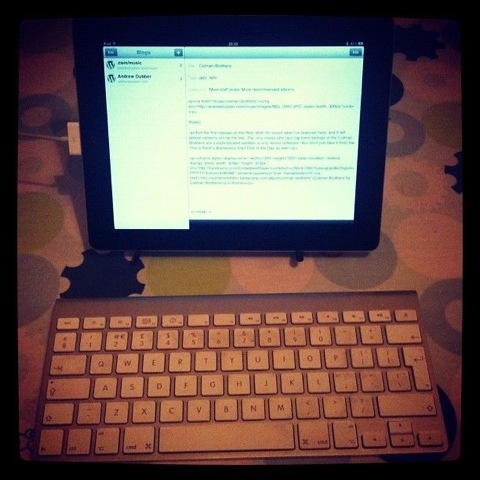
I’m toying with the idea of trying to do the work I do using only the iPad and an external keyboard. From the point of view of portability and convenience, it would be worth attempting.
There are a few workarounds I’ll have to adopt and I’m sure there will be some niggles (like not being able to Cmd-Tab my way around applications) but I think there’s very little I won’t be able to do.
I suspect some of the activities I do regularly (like blog posts) will take a little while longer than usual – at least at first, and I won’t be able to upload audio from my Zoom H1, video from my Flip camera or photos from my Lumix digital camera – but I can use my phone and the iPad itself for capturing media – and while it won’t be quite to the usual quality, I don’t think there’ll be too much of a trade-off.
(more…)
Mar 8, 2010 |

Photo by wokka
I’m pretty good at organising my work, and do most of the things that can be done to make sense of the deluge of information that we have to deal with these days.
My email inbox is empty at least twice a day, and I have over 400 smart filters in place to make sure I almost never receive unwanted or irrelevant messages. My computer desktop is completely free of icons, other than the one that opens up the hard drive. My files are all pretty well sorted, and I can easily locate something if I want to find it.
And yet… my hard drive is nearly full. And to a large extent, I don’t exactly know what it’s full of. To make matters worse, this is a machine with a 1TB internal hard drive. I have a lot of files – photos, music, video, and lots and lots of documents… but I’m pretty sure I don’t need them all.
I need to do a complete Spring clean and de-clutter – but it’s such a daunting task. It would be great if there was a piece of software that would help me go through my documents, and choose what to keep on hand, what to throw out, and what to archive.
So that’s what I’m going to suggest today.
(more…)
Oct 19, 2009 |

I had a problem on my laptop. Something called AddressBookSync was going crazy – sucking up almost all of my system resources. I don’t really know what it was, which piece of software it was connected to (though I have my suspicions) or even how I eventually managed to get rid of it – but the difference to my Macbook now that I’m rid of it is astonishing.
I only really noticed the problem over the last few days. The computer’s been getting more and more sluggish over time which, when it happens gradually, you’re only marginally aware of. But recently, the fan has been going nonstop, programmes were taking minutes to load, and it had started to do that thing where you type, go make a cup of tea, and return to see your words emerge, one character at a time, on the screen.
I went for the Activity Monitor and immediately identified the process to blame, quit it, and things calmed down. Three minutes later, it was back – and it was angry. I killed it again, but like the last 15 minutes of Terminator – just when you think it’s dead, up it pops again like an unstoppable, all-devouring technozombie.
(more…)

